

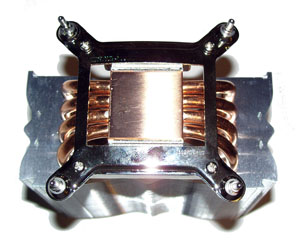
 Today, we have a look at another of Zerotherm’s latest CPU coolers, the Zerotherm Zen FZ120. Previously, we had a look at their ‘butterfly’ shaped cooler and it performed exceptionally.
Let’s hope that this cooler can provide similar results.
As a side note, one thing I would like to commend Zerotherm on is the organization of their website. Many CPU cooler manufactuers only give lists of their products without any organization.
Zerotherm categorizes CPU coolers by the type of Slot that your CPU has as well as an organized layout where you can see a picture of each and every CPU cooler. Many other sites simply list the model numbers of their coolers without any pictures making it difficult to sort through them.
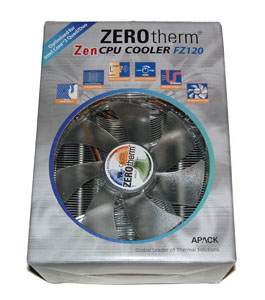
Before you even open up the box, you can see the very large fan sitting right on top of a huge silver heatsink. This already gives the impression that we are dealing with a pretty large cooler.

This cooler is meant to stand taller vertically. It is composed of a simple copper base with four heatpipes extending from both sides. There is a gap between the copper base and the heatsink so I’m expecting that all the heat will be transferred from the copper pipes to the heatsink which is the place where the fan sits as well.
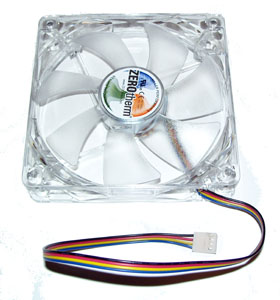 The fan is a basic clear plastic fan. I was hoping that the fan would have LEDs on them, but they do not. Included with the package was an instruction sheet, a motherboard support brace, four screws, thermal compound, foam/rubber material, two attachments (one is used for Intel processors, and the other for AMD processors), and two thin metal attachments which is used to secure the fan in place on the heatsink.
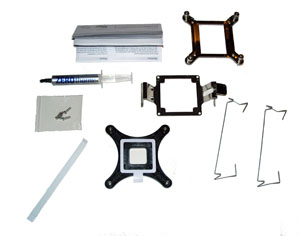
The instructions were very easy to follow with the step by step instructions on the sheet. I assembled the heatsink by installing the attachment to the base of the cooler by using the provide 4 screws.
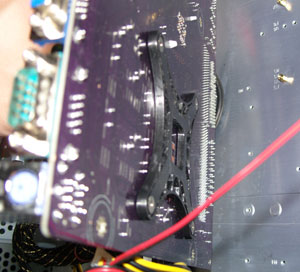
Since I have an Intel Core 2 Duo Processor, I had to install the motherboard support brace. This required having to open up my computer, remove the motherboard, and attach brace on the back of the motherboard. This isused to support the heastsink/fan onto the motherboard. This motherboard support brace has some sticky ‘glue’ on it because when you secure the brace on the back on your motherboard, all you will do is just stick it on the back of your motherboard.
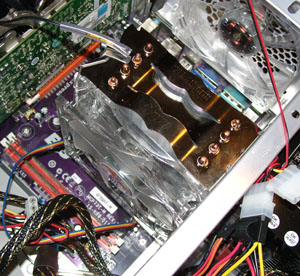 Before actually using the Zerotherm cooler, I measured my idle and load temperatures using Coretemp. I have a Intel Core 2 Duo E4500 Processor with a pin mod which enables it to use a 1066Mhz bus speed and have a core clock of 3ghz. Without the Zerotherm cooler and using a stock Intel heatsink/fan, my processor runs at rather cool 29 degrees Celsius. When running a game such as Rainbow Six Vegas 2 or doing heavy calculations with SuperPi, my CPU temp raised to an average of 44 degrees Celsius.
After installing the Zerotherm cooler, I was impressed to see my idle temperatures drop to 24 degrees Celsius. That is pratically room temperature. Using the same procedure to stress my computer, my average load
temperatures was at 35 degrees Celsius. My load temperatures dropped nearly 10 degrees. Overall, I was very happy with the temperatures. My only criticisms about this product is that during the installation procedure, I found it a slight hassle trying to secure the fan onto the heatsink. The provided metal wires used to hold fan don’t snap to the fan as easily as I thought. Noise from the fan was generally very quiet, but I can almost swear that it is just a tad louder than my stock cooler. Other than that, I think the Zerotherm Zen FZ120 is another excellent CPU cooler from Zerotherm.
So, for just under 40 bucks you can keeps things very cool thanks to the Zen FZ120, which we rated a 9 out of 10.